Custom WordPress queries allow you to dynamically list content from your site and display it in any format you'd like. For instance, you can:
- Display related posts at the bottom of your articles
- Create a dashboard widget listing your most popular content
- Automatically display the subpages of a section of your site
How it works
When WordPress loads your blog's homepage, it runs a query to get the most recent posts and build the homepage. We call this the main WordPress query .
In addition to the main query, you can make your own custom queries to request any content you like. We'll use the WP_Query() class to retrieve a list of posts based on the parameters we specify. We can then loop through the results, just like the main WordPress loop.
For a full list of available parameters, see my WP_Query Arguments reference guide and the WordPress codex .
Related Posts
You'd like to add related posts at the bottom of articles to increase visitor engagement with your site. All of your posts are in one or more categories, so an easy way to find related posts is to grab 5 posts from the same category as the current one, and make sure to exclude the current post.
https://gist.github.com/billerickson/06ee7c4737f529f4d3b71a00aae1c133
- We're using
get_the_terms()to get a list of all categories attached to the current post. - To keep it simple, we're using
array_shift()to use the first category in the list if there's more than one. For a more advanced approach, see the ea_first_term() function in my base theme. - We then run our new WordPress query with
$loop = new WP_Query();inside the WP_Query class we specify our parameters. In this case we're asking for 5 posts in the current post's category, and exclude the current post ID from the results. - We then run our loop. If there were posts found, output a "Related Posts" div and heading. Then for each post, include the featured image and post title, both clickable.
- Important: After we're done with our custom query, run
wp_reset_postdata(). This resets the global post data back to the current post in the main query.
For a more advanced version of Related Posts, see my Related Posts with SearchWP article.
Popular Content
Shared Counts is a social sharing plugin that looks great and is built for performance. A nice feature is the "Most Shared Content" dashboard widget.
[caption id="attachment_6754" align="aligncenter" width="442"]
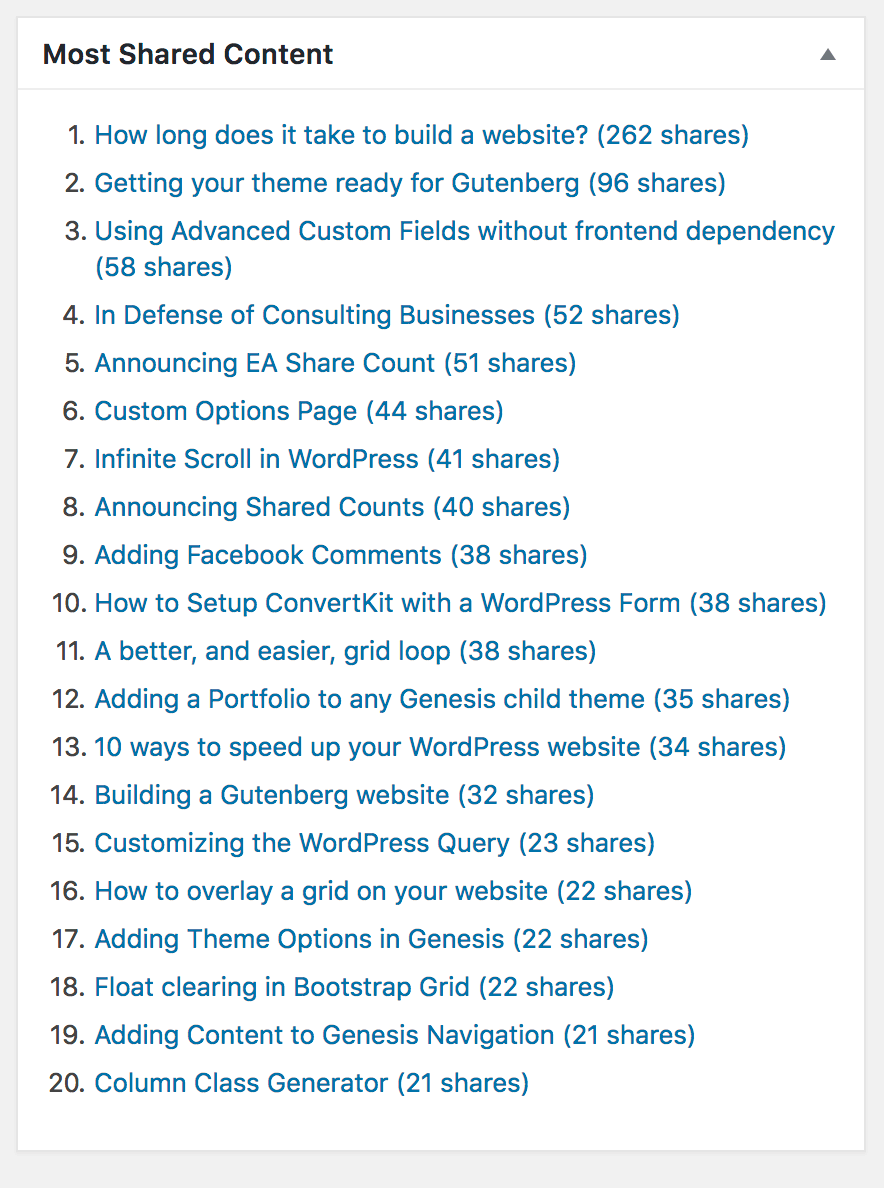
Shared Counts - Dashboard Widget[/caption]
If you look in the plugin's source code you'll see it's a simple WordPress query.
https://gist.github.com/billerickson/eb31481f309b86132b509263493b1584
The Shared Counts plugin stores the post's total share count as metadata using the shared_counts_total key. We are asking WordPress to sort the posts by this numerical meta key and give us the first 20 posts with the highest count.
Display Subpages
My BE Subpages Widget plugin allows you to dynamically list a section’s subpages. When on a page, it will find the section’s top level page and list its children. It will also mark the current page as "active" so you can style it appropriately.
https://gist.github.com/billerickson/fc1b451ec35c49c6dbc854c7e42737d5
I've simplified the code a bit (you can see the actual code here ), but basically we're using get_ancestors() to get the full page hierarchy of the current section, grabbing whatever page is at the top, then using a WP_Query to retrieve all of its children.
Inside the loop, I'm comparing get_the_ID(), the ID of the current post in the custom query, to get_queried_object_id(), the ID of the current post in the main query, to determine if we should mark this menu item as active.



No comments yet