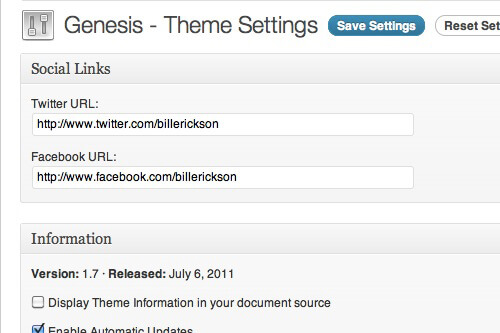
If you're customizing your site in a way that require site-wide options to be managed in the backend, it's a good idea to use the Genesis Theme Settings page rather than create a separate backend page specifically for your feature. This keeps all theme-related settings in a single location.
I'm going to walk you through creating your own theme options for Genesis. I'll be adding a Social Settings box that allows you to specify a Twitter and Facebook URL, to be used in the nav menu of the theme.
Set up Defaults
The default values are what the fields will be set to when a user clicks "Reset Settings". I'm just going to use blank values, but you could use whatever you like.
Sanitization
One of the major improvements to Genesis in the 1.7 release is the addition of a Sanitizer class. Mark Jaquith , a lead developer of WordPress, was hired by StudioPress to conduct a security audit, and this was one of the results.
The Sanitizer class makes it easy to ensure only the specific types of data you want can be saved in your theme settings. This prevents someone from dropping malicious scripts into one of your theme settings. For more information, watch this Theme & Plugin Security presentation .
By default, Genesis comes with four sanitization filters: one_zero, no_html, safe_html, and requires_unfiltered_html. These should cover almost anything you need to do, but if you did want to add something to this list you could use the genesis_available_sanitizer_filters filter (see /lib/classes/sanitization.php).
We're going to use the no_html filter.
Register Metabox
We'll use the add_meta_box() function to add a metabox to the Theme Settings page. You can look in /lib/admin/theme-settings.php for more examples:
Create Metabox
Our add_meta_box() function basically says "Stick the metabox the the be_social_settings_box() function on the Theme Settings page." Now we have to create that function.
For more examples of metaboxes, see /lib/admin/theme-settings.php.
Putting it all together
Since there's a lot code, I recommend putting it in a single file. Inside my child theme I've created /lib/functions/social-settings.php, and this is the contents:



No comments yet