One of the great features of Genesis is the ability to change between many different page layouts on a per-page basis. You can have 1, 2, or 3 columns, and specify the order of the sidebar areas and content area.
But one issue you might have is which sidebar shows up in each of the sidebar areas. For example, if you select “Sidebar-Sidebar-Content,” it will be arranged as “Secondary Sidebar – Primary Sidebar – Content Area”. If you happened to have your site navigation in the Primary Sidebar, it’s now in the middle column of the page.
Before trying this, always check beforehand, if what you’re trying to do can be accomplished with CSS first. More often than not, you can re-order the sidebars correctly by simply shifting the way elements of the layout are floating. This should only be used if you need the Secondary Sidebar between the Primary Sidebar and the Content Area.
Here’s how to specify which sidebar shows up in which sidebar area on a specific page template.
[gist id=1717547]
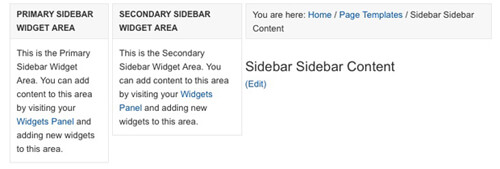
Switch Genesis Sidebars
Here's how you change which sidebar shows up in which sidebar area. This is useful when using different page layouts.



No comments yet